
COVID Certificate4.10.0 - Google Play
You'll be able to see results in few seconds.
Publisher Description


COVID Certificate is the official app for storing and presenting Swiss COVID certificates. It is developed by the Federal Office of Information Technology, Systems and Telecommunication FOITT on behalf of the Federal Office of Public Health.
In Switzerland, people who have been vaccinated, or who have tested negative or recovered from COVID can apply for a COVID certificate.
COVID certificates are issued in hard copy or electronic format serve as proof of:
1. Vaccination against COVID-19
2. Recovery from Sars-CoV-2 infection
3. A negative result following Sars-CoV-2 test analysis
How the app works
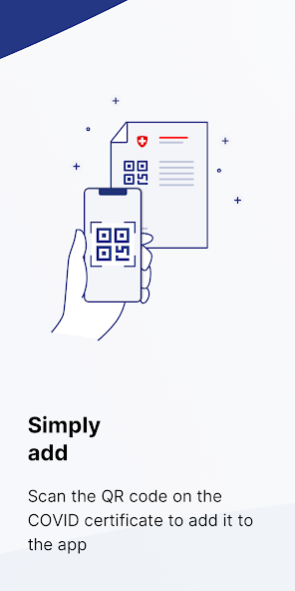
When the app is first launched after installation on the mobile device, a brief introduction provides information on how to use it and how to scan a hard-copy COVID certificate.
In the app, the required COVID certificate can be selected, and presented if desired. The app shows the time of your vaccination or test and how long ago you had the vaccination or test. All data contained in a certificate's QR code can also be displayed.
It is possible to store several COVID certificates in the app, e.g. for family members, or several COVID test certificates.
Use of the COVID Certificate app is voluntary and free of charge.
Data protection is a top priority
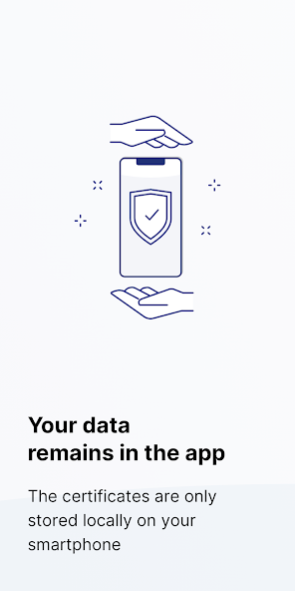
COVID certificate data is stored solely on the mobile device. COVID certificates are protected by a digital seal (signature) and are thus forgery-proof.
COVID certificates are generated by the FOITT, but are not stored in a central system. That is why it is not possible to obtain a copy of an issued certificate.
The use of the app is limited to Switzerland and is subject to Swiss law.
About COVID Certificate
The company that develops COVID Certificate is Federal Office of Public Health FOPH. The latest version released by its developer is 4.10.0.
To install COVID Certificate on your Android device, just click the green Continue To App button above to start the installation process. The app is listed on our website since 2022-12-16 and was downloaded 0 times. We have already checked if the download link is safe, however for your own protection we recommend that you scan the downloaded app with your antivirus. Your antivirus may detect the COVID Certificate as malware as malware if the download link to ch.admin.bag.covidcertificate.wallet is broken.
How to install COVID Certificate on your Android device:
- Click on the Continue To App button on our website. This will redirect you to Google Play.
- Once the COVID Certificate is shown in the Google Play listing of your Android device, you can start its download and installation. Tap on the Install button located below the search bar and to the right of the app icon.
- A pop-up window with the permissions required by COVID Certificate will be shown. Click on Accept to continue the process.
- COVID Certificate will be downloaded onto your device, displaying a progress. Once the download completes, the installation will start and you'll get a notification after the installation is finished.
Program Details
System requirements
Download information
Pricing
Version History
version 4.10.0
posted on 2022-12-16
The COVID Certificate App is constantly being updated and improved. The following new features have been added to the current version:
* Text optimisations that clarify that the transfer code can be used for test certificates as well as for vaccination and recovery certificates.
* Further optimisations and bug fixes.
version 3.7.0
posted on 2022-04-29
The COVID Certificate App is constantly being updated and improved. The following new features have been added to the current version:
- Further optimisations and bug fixes
version 3.3.0
posted on 2022-02-04
The COVID Certificate App is constantly being updated. These features have been added:
- Individualised notice in connection with the shortened validity period for COVID recovery and vaccination certificates.
- Addition of following types of certificate:
- COVID vaccination certificate on the basis of the Novovax vaccine
- COVID vaccination certificate in line with the new EU coding
- COVID recovery certificates on the basis of a positive rapid antigen test
version 3.2.0
posted on 2022-01-21
The COVID Certificate App is constantly being updated and improved. The following new features have been added to the current version:
- New checking rules for indicating whether or not an additional test certificate is required in the 2G+ context (time of vaccination < 120 days).
- The self-checking function (refresh button) will in future be replaced by an automatic check. From 17 January 2022, an info button will appear on a transitional basis.
- Further optimisations and bug fixes.
version 3.0.0
posted on 2021-12-16
The COVID Certificate App is constantly being updated and improved. The following new features have been added to the current version:
- The details page shows whether the certificate is valid for 2G (vaccinated or recovered) or 3G (vaccinated, recovered or tested).
- Further optimisations and bug fixes
version 2.10.0
posted on 2021-12-09
The COVID Certificate App is continuously updated and improved. These new functions have been added to the current version:
- Light certificate: Text amended, with new term of validity as per Federal Council resolution of 3 December 2021
- Further improvements and bug fixes
Disclaimer
Official Google Play Link
We do not host COVID Certificate on our servers. We did not scan it for viruses, adware, spyware or other type of malware. This app is hosted by Google and passed their terms and conditions to be listed there. We recommend caution when installing it.
The Google Play link for COVID Certificate is provided to you by apps112.com without any warranties, representations or guarantees of any kind, so access it at your own risk.
If you have questions regarding this particular app contact the publisher directly. For questions about the functionalities of apps112.com contact us.
